"You talk as if a god had made the Machine.. Men made it, do not forget that. Great men, but men. The Machine is much, but it is not everything. I see something like you in this plate, but I do not see you. I hear something like you through this telephone, but I do not hear you. That is why I want you to come. Pay me a visit, so that we can meet face to face, and talk about the hopes that are in my mind."The machine stops - 1909 - Forster
Showing posts with label ESL ACTIVITIES. Show all posts

Wednesday, December 1, 2021

DIFFERENTIATION STRATEGIES: layered reading comprehension


Here is a simple strategy that can be used to differentiate instructions, both in individual learning space - home - and in class. 

What you need is a text and Thinglink, a free tool.

Basically, what Thinglink allows you to do is to choose a picture and make it interactive. 

Here is an example of what you can do.


click on the image to be redirected to the activity


I took a picture of a page from a book – which, by the way, is Goodnight Stories from Rebel Girls 2 –, I uploaded it on Thinglink and just added some links.

The learning goal for this activity was practising reading comprehension and writing skills.

In our Esl mixed ability classes we have students at very different levels and making them work on the same tasks is never the best option.

Starting from the same text, it is possible to meet the students’ different needs by differentiating both the process and the outcome, the final product.

If you roll over the image some icons will pop up. As you can see they have different colours and each colour corresponds to a certain degree of difficulty.

Let’s take the green icons: they are the easiest tasks. Basically it is comprehension questions but they are placed exactly where the answers can be found. Moreover, some hints are given to the students, to help them with grammar or vocabulary.

The blue icons are sort of half-way level and what students have to do is to answer questions but there’s no scaffolding here.

And finally the orange icons. That is the expert level. Here students are asked to analyze  and reflect on some aspects of the story/biography and there are also extension activities for them to go deeper into the content.

This interactive image can be used in many different ways, it just depends on the learning goal, so it could be done as a class activity, or it could be assigned  for homework.

It works as an assessment strategy as well, both formative and summative. In this last case students know that if they work on survival level the maximum score they can get is 7 out of ten, if they choose half-way level the maximum score is 9 or for the expert level the maximum grade is 10.     

Last thing, if you click on the speaker icon in the bottom right-hand corner, you are redirected to the audio version of the biography, read by the teacher, and this can help auditory learners or dyslexic students.

Here is a video with feedback from the students. They seem to appreciate this way of working on reading comprehension. 


Click here to open the activity and feel free to use it with our students.

Friday, May 4, 2018

DIFFERENTIATION STRATEGIES: "FOODBALL" CLASS ACTIVITY


We've been flipping our classes for five years and some parts of the course - mainly grammar and vocabulary - have been moved from the group learning space to the individual learning space.
Now we have more time to work in class with the students, to observe them while they are working and we've been noticing more than ever that it's really impossible to avoid differentiation.
So giving differentiated instructions and using a lot of different strategies is the only approach which makes sense for us.
This activity - the "FOODBALL" project - meets the needs of all the learners, makes them work together and has a collaborative product as a final outcome.

What is a Bloom Ball?
A Bloom Ball is a project where students have to complete activities that take them through all the levels of Bloom's Taxonomy, from Remembering to Creating. They are great for both collaborative  and  differentiated work. Students work in mixed-ability groups and they choose the activities they want to carry out . Everybody works at their level and the final product - the assembled ball - will be evaluated by the teacher according to grading criteria specified in a rubric.


Here is, step by step, the project carried out by Daniela Becchio's students. She's been so kind to share the results with us and she's even made a video explaining the whole process.


WHAT
Students designed and created a dodecahedron on the topic of "food"

WHEN
They worked in class to complete all the activities and to assemble the ball ( 2 hours )


HOW
Here are the requirements for each side
1) describe your ideal restaurant
2)  invent a menu
3)  write a recipe
4)  write a dialogue at the restaurant
5)  create a crossword with ten difficult food related words
6)  create a wordsearch with food related words
7)  make a Venn Diagram comparing English breakfast and Italian breakfast
8)  write ten commandments for healthy eating
9)  write a short text "My eating habits"
10) draw a world map showing hunger problems
11) invent a slogan promoting healthy eating
12) write a short poem on food or create a survey


Students were given all the instructions through a webquest  https://createwebquest.com/index.php/foodball
 where they could find all the requirements, the online resources to explore in order to complete the tasks and the evaluation criteria.


The Foodballs showed a good use of language, a lof of creativity and were nice to see.
Everybody worked at their own level, while interacting with each other at the same time.
What I like about this activity is that each student gave their contribution to the group and the final result was given by the amount of individual effort.


Saturday, March 5, 2016

INTEGRATING TECHNOLOGY: grammar-translation in the digital era

Grammar-translation seems to have become an old-fashioned method in the era of flipped classrooms, mobile learning and web2 tools.
I agree on the fact that in classes where students learn grammar rules and then apply those rules by translating sentences between the target language and the native language for most of the time there is little interaction among the learners and less emphasis on the communicative process, but I am also convinced that grammar structures need to be internalized and the more we work on them the better it is. Moreover, I think that  error correction is necessary to advancement and students can greatly benefit from the thinking process required by the effort of translating into a different language.
What follows is my attempt ro make a translation exercise a bit more appealing to 21st century students.
The starting point being a pedagogical aim - in this case the ability to distinguish between  past simple and present perfect and use them correctly - I asked myself " Is there a tech tool which could help me reach that goal in a more efficient way and could let me enhance the traditional task of translating sentences?"

I decided to use Todaysmeet, a free backchannel chat platform that students can join fast with no registration.

They worked in pairs on their ipads and what I did was to write and send sentences in Italian for them to translate into English.

Here is an example.


After each sentence I gave them a quick feedback and made sure they understood the mistakes.
We also had a "reward" for the fastest and most correct couple.

Some of the advantages of having integrated this tech tool into the class activity may be summed up here:
- it proved to be a powerful way to get formative assessment , fast and personalized  ( I was able to see each student's answer directly on the screen and I realized immediately who needed extra practice on the topic )
- everybody was actively involved
- they had the possibility to see both correct and wrong sentences
- it gave us the chance to really work on mistakes in a meaningful way

In order to maximize the learning opportunities I asked them to save a copy of the transcript and to create an online multiple-choice test using Testmoz  and recycling the sentences I had dictated.  They chose the answers among the ones written by them during the previous activity. They didn't even have to make the effort of inventing wrong answers.


Finally we shared all the links to the different tests and in the following lesson they practised on the exercises created by themselves.

Here is the link to one of the tests . Have fun trying it!


Sunday, January 3, 2016

INTEGRATING TECHNOLOGY: flipping a unit

As J. Bergman and A. Sams state in their book  Flip your Classroom - Reach every student in every class every day  " The goal of flipping a classroom is to remove attention from the teacher and place it on the learner." Teachers should explore and hybridize  the flipped-mastery model and adapt it to what they already  know to be good teaching practice. Some teachers may not want to adopt the model fully but they would rather opt for  a step-by-step strategy.First, a single lesson could be flipped, then a learning unit and finally a part of ( or the entire ) syllabus.
What follows is how I flipped a unit with my third year students.
The main question being " What is the best use of in-class time?", I tried to plan a sequence of lessons which could meet three specific needs:
- effective technology integration
- cooperative team work
- layered activities/tasks based on Bloom's Taxonomy

UNIT LEARNING OBJECTIVES

Students will:
- remember facts about Malala's life
- explain in their own words the major events in her life and identify the most important issues
- reflect on limitation of women's rights in some parts of the world
- practise asking meaningful questions assuming different roles
- compare their life to Malala's
- evaluate and select good strategies for further actions
- create/compose a final slogan/motto related to Malala's campaign for education

LESSON ONE


1 hour
Aim: presenting Malala's biography
Class activity: jigsaw group work
Material: handouts

Homework: exploring the online resources  "Inspiring People"
Here you can download the text students worked on. The words in bold are the ones that were pretaught.

  Malala


Students were divided in 3 different groups according to their language skills ( for the names of the groups  some adjectives were chosen which well describe Malala's personality ) :

- hardworking
- brave
- determined


The text was cut in three parts and each student received one. They were given 15 minutes to individually read the text and learn/remember as many facts as possible. They could highlight their texts, take notes, make mindmaps, underline.... While they were working I was walking around the classroom, helping them, clarifying any doubts and answering their questions.  


After that, all the "brave" students gathered together in one corner of the room, and so did the "determined" and the "hard-working" ones. Without looking at their texts or their notes, they had to share what they remembered and check if their comprehension was adequate. I didn't intervene during this phase, which lasted 10 minutes.
Finally, the students were regrouped ( each group being composed of one "brave"/one "hardworking"/one "determined" ) and their task was now to answer some comprehension questions I gave them. To complete the task each member of the group had to share what he had learnt and everybody made their contribution ( individual accountablility and equal partecipation ).


For homework they had to explore the online resources about Malala and post on a padlet 3 new things they had learnt ( some new information that was not on the handout )  and one more question ( that was invaluable formative assessment which gave me an idea on how they were learning and if they had watched the videos  )  

LESSON TWO


2 hours
Aim: working on lower and higher level thinking skills of Bloom Taxonomy.
Class activity: cooperative work
Material: handouts/ipads


Students were given a handout with a series of activities structured by levels ( from LOTS to HOTS )


LESSON THREE


1 hour
Aim: self-evaluation, reflecting on the whole process, sharing results
Class activity: cooperative work
Material: handouts from the teacher/works from the students


Final reflections


Was that a flipped unit? I would say that an objective was the starting point, technology was integrated to support the whole process, good teaching practice ( the jigsaw strategy ) was used and the attention was always placed on the learner. It worked for me and my students. The Flipped classroom is not a dogma, and it's not all about videos, of course: it's just helping to do what you are already doing better. 


Monday, August 10, 2015

INTEGRATING TECHNOLOGY: "The travel agency" - authentic task

What is an authentic task ? ( compito autentico )

In general, an authentic task is one which:

  • is purposeful and engaging
  • models how people solve real problems in work and/or communities
  • puts knowledge to work
  • potentially demonstrates what students know and can do
  • supports multiple representations and solution strategies
  • offers opportunities for meaningful learning and higher order cognitive thinking
  • results in some product, presentation or outcome as a result of the deliberations of the group and/or individual
In other words, it can be said that an authentic task

  • is real-world and involves making real-world decisions
  • involves the creation of a product
  • requires multiple skills and covers more than one subject
  • has to be performed collaboratively
  • promotes students' autonomy
  • develops multiple competencies
  • arises from a non-googleable question

When constructing authentic tasks, the acronym GRASPS may help:


G    Real-world Goal

R    Real-world Role

A    Real-world Audience

S     Real-world Situation

P     Real-world Products or Performances

S     Standards


THE TRAVEL AGENCY  is an activity I did with my third year students, which worked well and is an example of authentic task.


STEP 1


Devising the task, using the GRASPS elements


STEP 2

Creating the webquest


STEP 3

Dividing the students into groups, giving instructions, setting a time limit ( 2 hours )


STEP 4

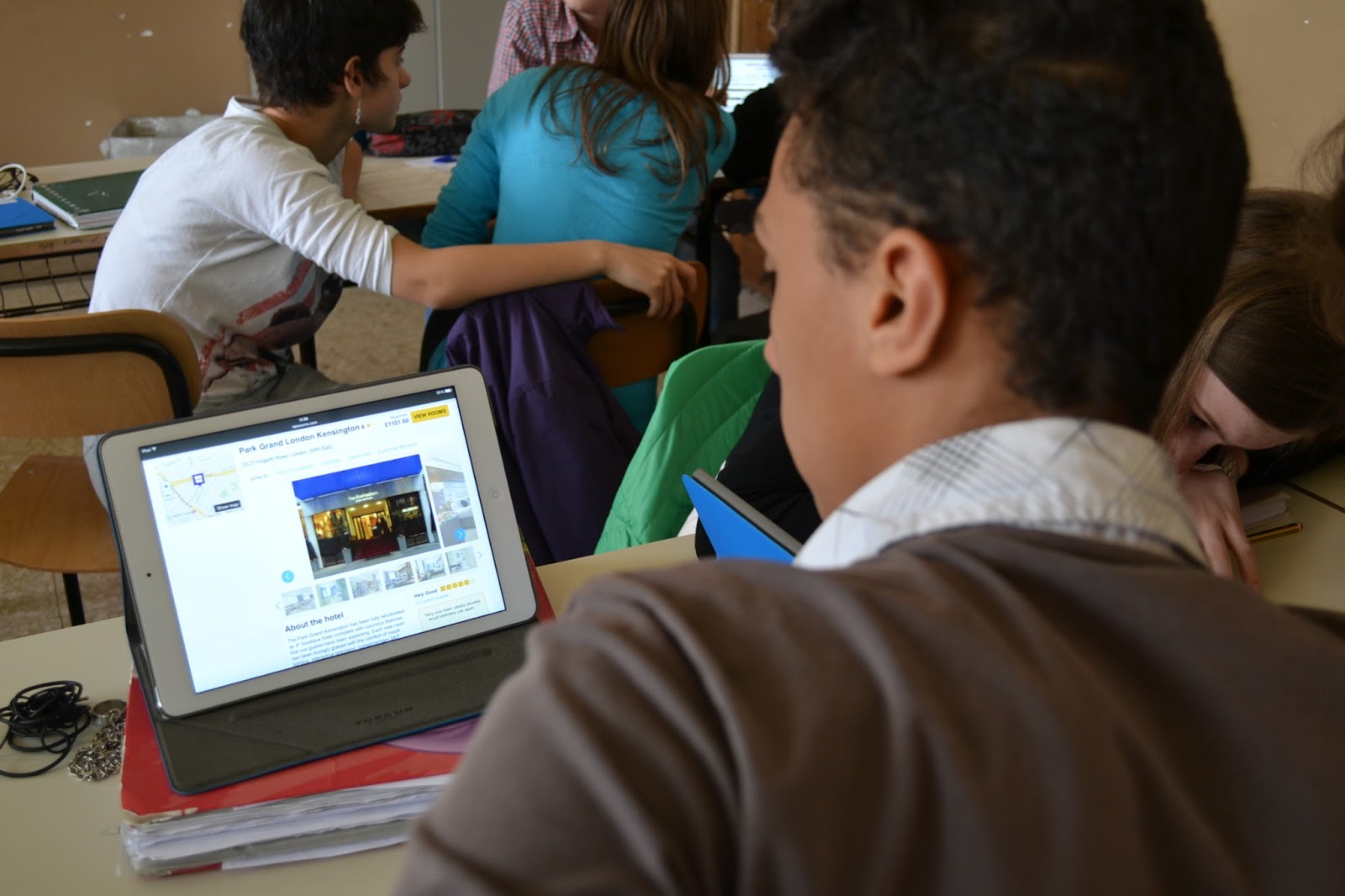
"Setting up" the travel agencies and performing the oral tasks ( a big thank you to Benedicta Pretorino, a real-world nice girl, who spent some days in our school, observing my flipped students while preparing her degree thesis )


STEP 5

Giving them positive feedback, for both effort and achievement.
Some students took their job so seriously they even produced an elegant brochure in order to convince Miss Pretorino ( and that was extra-non required work ).

The Travel Agency - A trip to London

FINAL REFLECTIONS

This task involved students in a productive use of technology, integrated more subjects
 ( english, ICT, geography ), gave students choices, promoted meaningful learning and assessed students' ability to operate in an authentic context.

Wednesday, May 6, 2015

INTEGRATING TECHNOLOGY: online syllabus for third year exam

These days third year students have been revising for their Middle School final exam. We've been flipping our lessons since September and our blended learning methodology has allowed us to work completely without a textbook. To tell the truth, even before setting up a flipped classroom , my students hardly ever opened their textbook during class time. I'm not against textbooks, of course, but I think that the best part of a teacher's job is preparing activities for students, to keep them busy during class time and to maximise their learning. Moreover, coursebooks tend to standardise ways of introducing content and what I need for my classes is differentiation and personalized learning. I know there are ways to "humanize" textbooks but still I prefer not to use them.
In the past months we worked on a lot of different resources and material, all published on an online platform and on the virtual classes on Edmodo and I thought having a visual reminder of all the covered topics might help students organize their revision. So I created a sort of Game of the Goose, a game board where each space has a topic on it, with links to downloadable paper handouts, videos and mindmaps. On the space "Keep calm and speak English" a link has been added to a recording with all possible questions students could be asked at the oral exam. To make it a little more interactive students have been invited to create speaking cards to be used for practice both in class and at home.
 My friend and colleague Daniela has kindly made a video to explain students how to create the cards. Hope this will be useful.
Click here to download the paper version. I have printed one for each student and laminated some to keep on the table when they are taking their oral exam. They might even "play" with the exam commissioners..!


Here is the online syllabus


And the video "How to create your own speaking cards"


Wednesday, September 24, 2014

INTEGRATING TECHNOLOGY: setting up a semi-flipped classroom

School : istituto comprensivo Villanova Mondovì

Grade : Middle School - Third Class

Subject : English as a foreign language - Vocabulary

School year: 2014-2015


Step 1

LEARNING PLATFORM CREATION


Step 2

LETTER FOR PARENTS

You can download the letter here 


Step 3

VIRTUAL CLASSROOM CREATION WITH EDMODO 


INTEGRATING TECHNOLOGY: setting up a flipped classroom

School : Istituto comprensivo Villanova Mondovì

Grade : Middle School - Second year

School year : 2014/2015

School subject : English as a foreign language

Step 1

LEARNING PLATFORM CREATION

Term 1


Term 2


Step 2

LETTER FOR PARENTS

You can download the letter here


Step 3

VIRTUAL CLASSROOM CREATION WITH EDMODO


Friday, May 23, 2014

INTEGRATING TECHNOLOGY: summer homework - second classes


Touch the image and do the exercises.


GRADING CRITERIA


You can download the evaluation form here


Acknowledgements: picture made by Clara Toselli.


INTEGRATING TECHNOLOGY: Summer homework - First Classes

Touch the image and do the exercises.


GRADING CRITERIA


You can download the evaluation form here.


Acknowledgements: picure made by Clara Toselli.


Monday, April 29, 2013

INTEGRATING TECHNOLOGY: a doodle video

This is a doodle video made by my middle school students ( third year ).
First we chose the song and then we asked for the art teacher's collaboration. Each students got a song line  and had to draw something representing the words.
Next step was to take photos of the images ( we used the ipad ) and then pictures and music were put together in a video.
The same technique could also be used to visualize poems.
Here you can find a detailed explanation of the whole process.


Tuesday, January 24, 2012

INTEGRATING TECHNOLOGY: diary writing and paper blogging

Classtools is a fabulous site, with great resources to use with students.

These are the steps my class and I went through when dealing with diary writing.

1) Choosing a fictional, historical, cartoon or legendary character.


2) Creating Fakebook profiles and writing diary entries.


Some of them didn't use the web tool and drew their own profiles on paper.

Here are some samples from students' works.


Click here to view fullscreen.


Click here to view fullscreen


Click here to view fullscreen

3) Editing the writing and getting feedback from the teacher

4) Printing the profiles

5) "Visiting" each other's profiles and commenting on them using post-it notes.


Students, in their character's shoes, could leave a public message on the wall, that everyone could read and comment, or write a private "message" ( a folded post-it ) that only the owner of the profile could open and read.


 This activity, which took us 3 class hours , let the students  have a lot of practice at asking questions, reading and writing. And I especially liked the fact that both technology and paper proved to be effective tools and worked together to reach the teaching aim.

Monday, January 23, 2012

INTEGRATING TECHNOLOGY: vocabulary expansion

What follows is a way to help students expand their vocabulary.
Especially at elementary level they tend to overuse the same basic words and  their essays are quite repetitive.
Last week my class ( third year middle school ) was given a written test : " My trip to England", as a closing activity after a civilization unit about the United Kingdom.
While checking their essays I noticed their writings were full of words such as "go", "beautiful", "place" and "see".
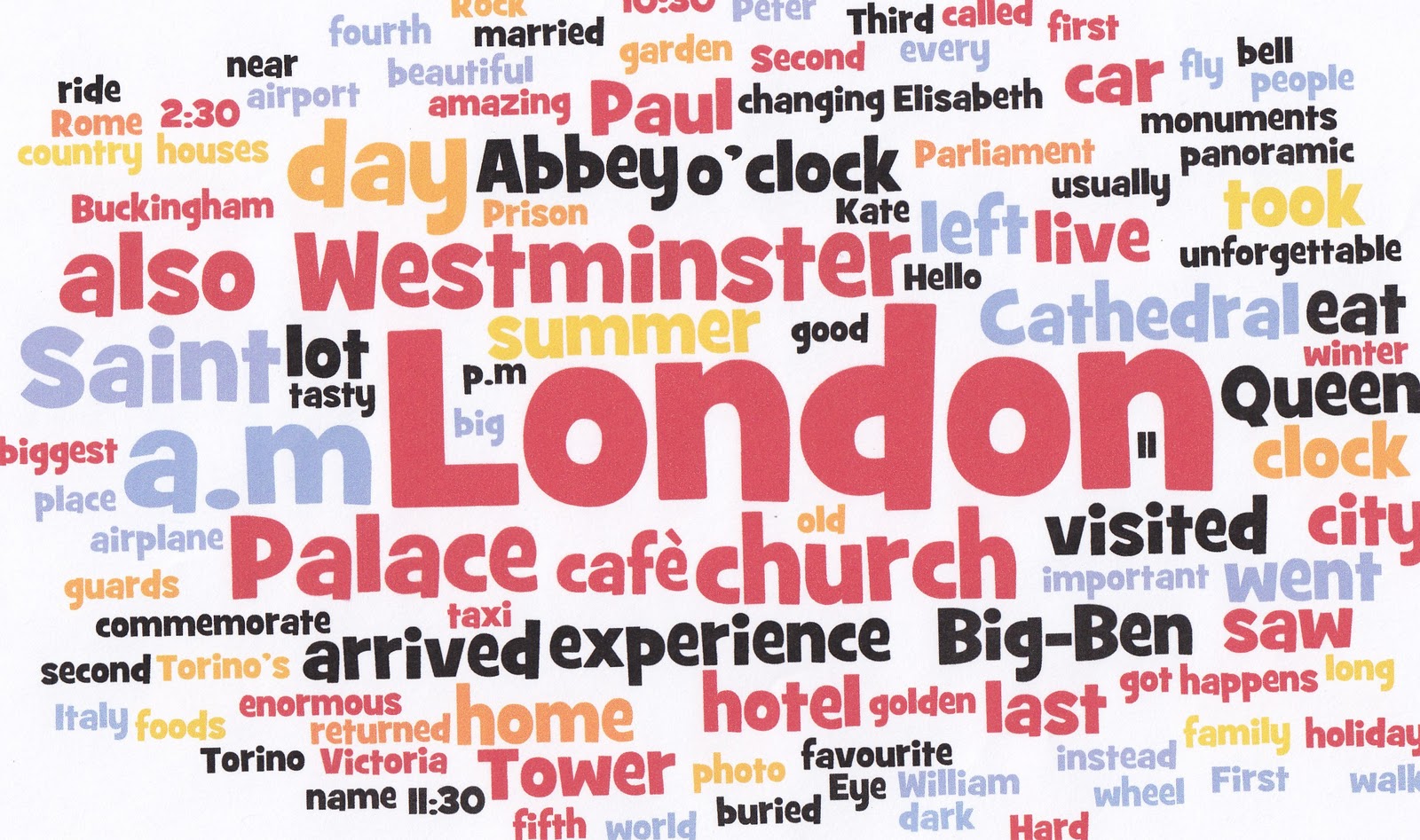
I wanted to make them visually aware of this and so I asked them to recopy their texts using the computer, to save the file, to copy the document and to paste it into Wordle.

These are some of the word clouds they created.


At school, the following lesson, the students examined each other's clouds and commented on them.
So we decided to work on the BIG words, the ones which recurred more often in their writings, and to find synonyms.
On the IWB we used a free visual Thesaurus .


We also used a great tool to work with collocations, Just the word


The students updated their lexical notebooks with all the new nouns, verbs and adjectives.
I told them that, at this point, they had to take their essays and try to make them better,by adding and  substituting words in the texts whenever possible.  
One of them had a brilliant idea and proposed: " What if we do the same wordle thing again? After the redrafting, in the clouds there shouldn't be any big words. We should end up with a plain text!"
They liked the solution and, the following lesson, they were proud of their new wordle clouds.

Here are two of them.


For more ideas on how to use Wordle in the classroom have a look at this presentation by David Dodgson.
You can also find  interesting ideas here.    

                                                          ************************


PS What if I put this post into Wordle? 


Whoops! Too many "words clouds" and "students"!