This is a doodle video made by my middle school students ( third year ).
First we chose the song and then we asked for the art teacher's collaboration. Each students got a song line and had to draw something representing the words.
Next step was to take photos of the images ( we used the ipad ) and then pictures and music were put together in a video.
The same technique could also be used to visualize poems.
Here you can find a detailed explanation of the whole process.
Showing posts with label web2. Show all posts
Showing posts with label web2. Show all posts
Monday, April 29, 2013

Monday, May 7, 2012
INTEGRATING TECHNOLOGY: web2 course for teachers
After exploring the mindmap "My favourite web2 tools" you can post your reflections, questions, requests, doubts on this online board
Dopo aver esplorato la mappa " My favourite web2 tools", potete usare questa lavagna online per fare domande, avanzare richieste e condividere riflessioni.
Dopo aver esplorato la mappa " My favourite web2 tools", potete usare questa lavagna online per fare domande, avanzare richieste e condividere riflessioni.
Sunday, May 6, 2012
Monday, January 23, 2012
INTEGRATING TECHNOLOGY: vocabulary expansion
What follows is a way to help students expand their vocabulary.
Especially at elementary level they tend to overuse the same basic words and their essays are quite repetitive.
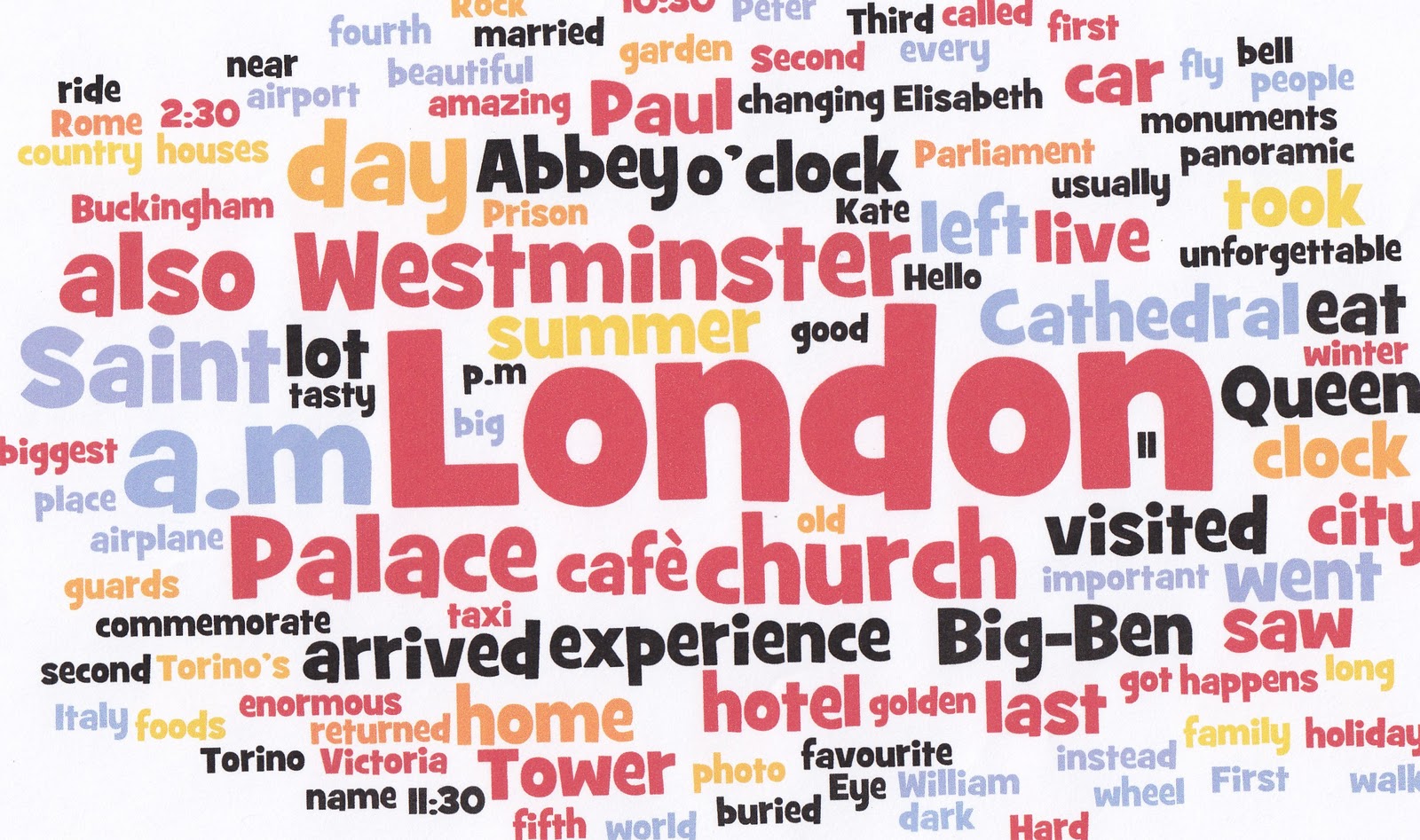
Last week my class ( third year middle school ) was given a written test : " My trip to England", as a closing activity after a civilization unit about the United Kingdom.
While checking their essays I noticed their writings were full of words such as "go", "beautiful", "place" and "see".
I wanted to make them visually aware of this and so I asked them to recopy their texts using the computer, to save the file, to copy the document and to paste it into Wordle.
These are some of the word clouds they created.


 At school, the following lesson, the students examined each other's clouds and commented on them.
So we decided to work on the BIG words, the ones which recurred more often in their writings, and to find synonyms.
On the IWB we used a free visual Thesaurus .


Especially at elementary level they tend to overuse the same basic words and their essays are quite repetitive.
Last week my class ( third year middle school ) was given a written test : " My trip to England", as a closing activity after a civilization unit about the United Kingdom.
While checking their essays I noticed their writings were full of words such as "go", "beautiful", "place" and "see".
I wanted to make them visually aware of this and so I asked them to recopy their texts using the computer, to save the file, to copy the document and to paste it into Wordle.
These are some of the word clouds they created.


So we decided to work on the BIG words, the ones which recurred more often in their writings, and to find synonyms.
On the IWB we used a free visual Thesaurus .


We also used a great tool to work with collocations, Just the word.


The students updated their lexical notebooks with all the new nouns, verbs and adjectives.
I told them that, at this point, they had to take their essays and try to make them better,by adding and substituting words in the texts whenever possible.
One of them had a brilliant idea and proposed: " What if we do the same wordle thing again? After the redrafting, in the clouds there shouldn't be any big words. We should end up with a plain text!"
They liked the solution and, the following lesson, they were proud of their new wordle clouds.
Here are two of them.
For more ideas on how to use Wordle in the classroom have a look at this presentation by David Dodgson.
You can also find interesting ideas here.
************************
PS What if I put this post into Wordle?

Whoops! Too many "words clouds" and "students"!
Friday, August 26, 2011
WEB2 COURSE: presentation
Here you can find the course overview.
Example 2
Example 3
Web2 course
Example 1 View more presentations from Daniela Tomatis
This is last course introductory speech ;)
If you want to have a look at what was created by students who took the course last spring, click on the links below.
This is last course introductory speech ;)

If you want to have a look at what was created by students who took the course last spring, click on the links below.
Example 2
Example 3
Subscribe to:
Posts (Atom)